Define the pressing endpoint
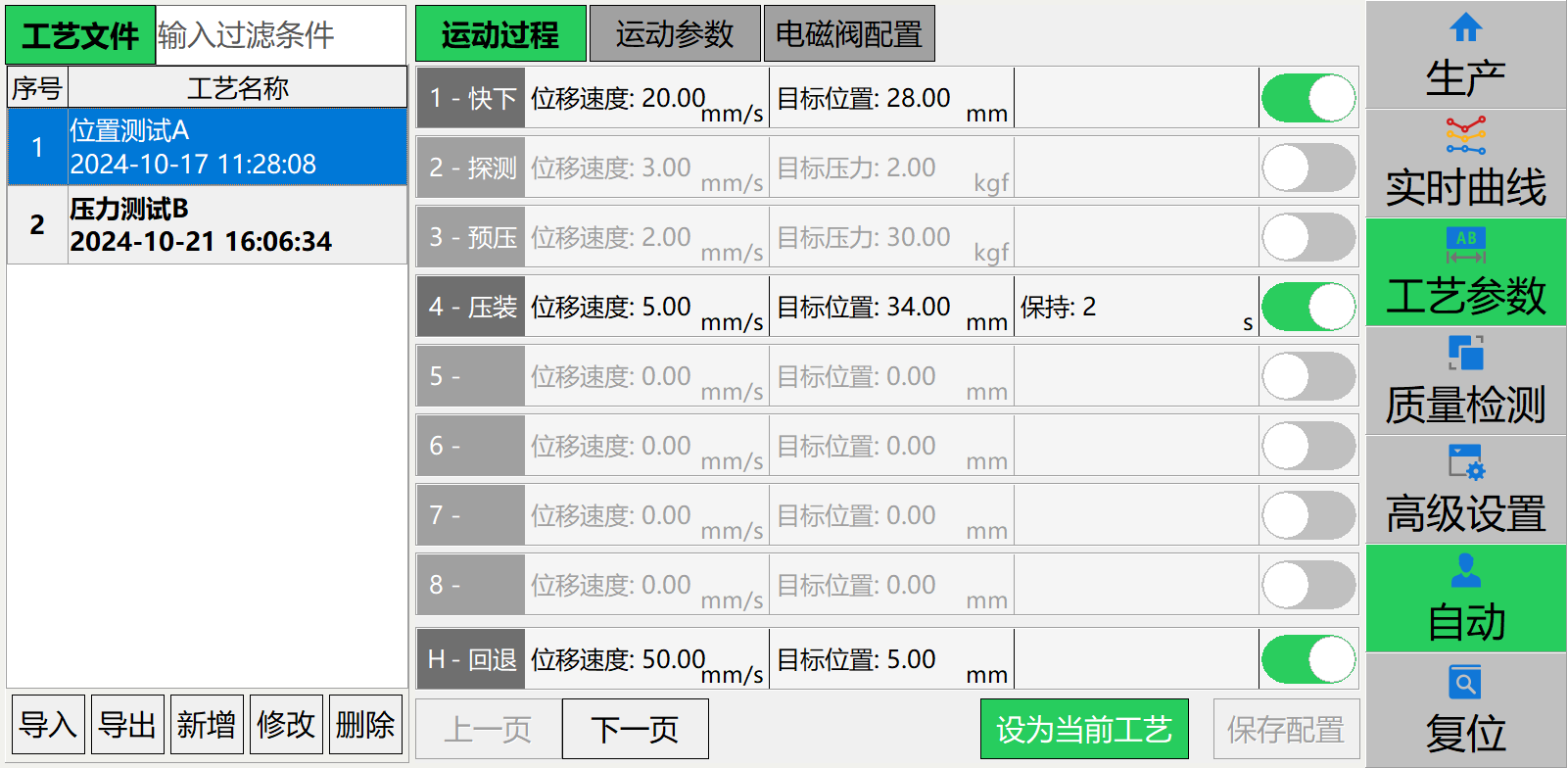
The documented controllers offer absolute position, relative displacement, force and relative-force modes. Specify speed, target and dwell for each step. Validate contact thresholds and relative reference conditions using actual parts. Reaching a target alone does not establish assembly quality.
 View full image ⤢
The process-file screen manages parameters for different assembly tasks. Define control mode, speed, target and dwell step by step. At changeover, match the recipe version, tooling and actual part. Displayed values are manual examples only.
Original Chinese interface retained; the explanation below describes its purpose.
Third-party reference · Image source:YZJ-1000 PC manual · software 2.1.46.55 · p.12Turn curves into process checks
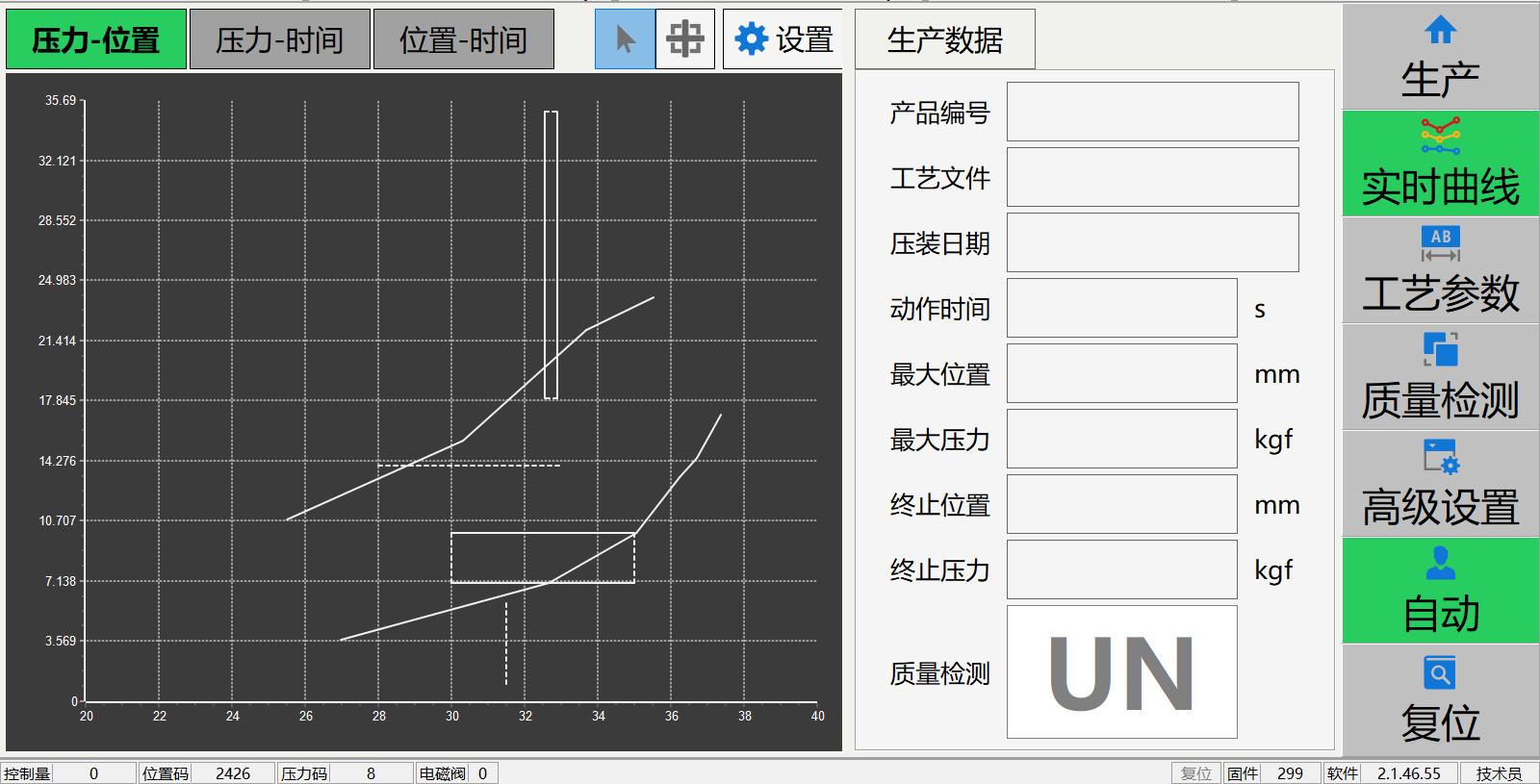
Force–position curves help assess initial contact, insertion and final seating. Establish limits using verified good parts and representative defects, then test false rejects, missed defects and boundary samples. Detecting missing parts, misalignment or early obstruction requires validated thresholds and fixtures; curve checks do not replace required dimensional or functional tests.
 View full image ⤢
The PC interface provides force–position, force–time and position–time views to inspect contact, insertion and dwell. These sample curves are not Zhongcheng accuracy measurements or customer acceptance records.
Original Chinese interface retained; the explanation below describes its purpose.
Third-party reference · Image source:YZJ-1000 PC manual · software 2.1.46.55 · p.23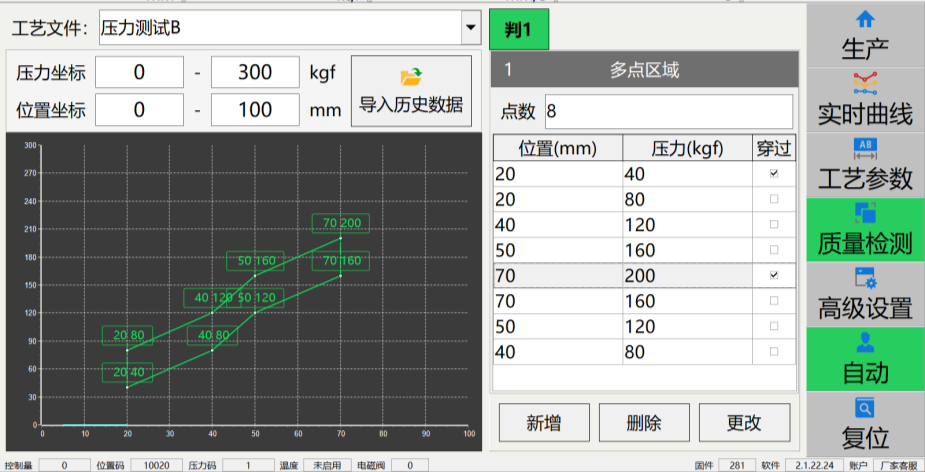 View full image ⤢
The PC manual illustrates evaluation conditions along a curve using multiple regions. Validate regions and limits against good parts, defects and boundary samples. The image does not establish this function as standard on every machine.
Original Chinese interface retained; the explanation below describes its purpose.
Third-party reference · Image source:YZJ-1000 PC manual · software 2.1.46.55 · p.16Confirm controller functions individually
The table compares two documented control options; availability depends on machine configuration. PC software: 2.1.46.55; YZJ-Z107: V8.1.1. Record the selected controller, software version, licensed options and delivered interfaces in the technical agreement.
| Capability | PC press system | YZJ-Z107 controller |
|---|---|---|
| Live curves | Force–position, force–time, position–time | Same three types; display refreshes each cycle |
| Quality evaluation | Line crossing/bypass, windows, envelope, region peak and knee checks; confirm configuration | Three configurable checks plus independent region peak; any failure gives NG |
| Export | Result CSV or full-curve CSV | Result-report CSV to USB; this does not establish full historical-curve export |
 View full image ⤢
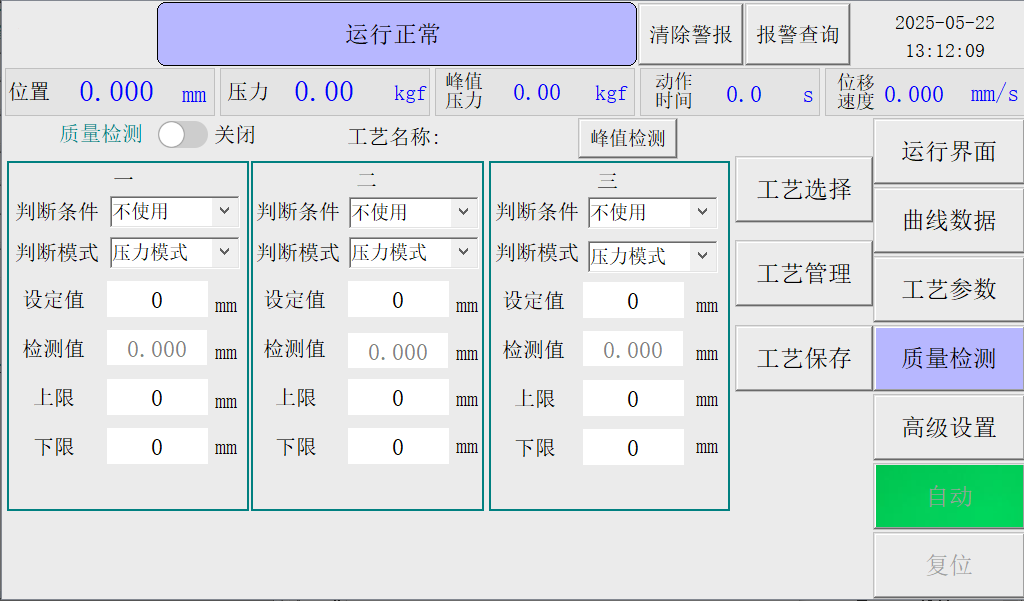
The integrated-controller manual describes three configurable checks and an independent region peak; any failed check gives NG. Do not combine these checks with PC multi-point regions or envelopes as one standard feature set.
Original Chinese interface retained; the explanation below describes its purpose.
Third-party reference · Image source:YZJ-Z107 manual · software V8.1.1 · p.14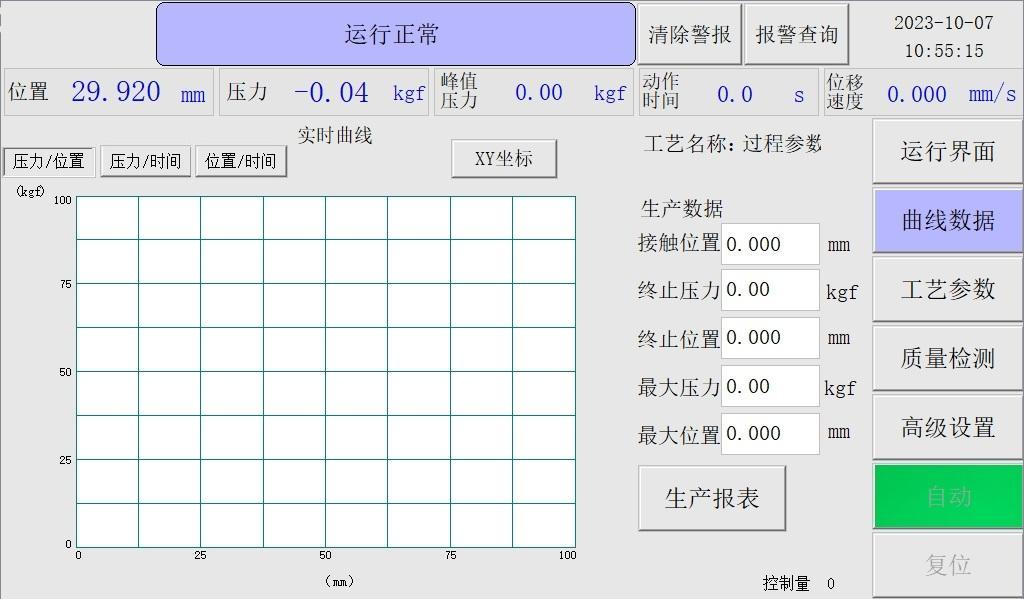 View full image ⤢
This screen displays the current press cycle and refreshes on the next cycle. The manual supports result-report export to USB. Confirm the controller and storage separately if every part requires long-term full-curve retention.
Original Chinese interface retained; the explanation below describes its purpose.
Third-party reference · Image source:YZJ-Z107 manual · software V8.1.1 · p.16Define traceability before selection
Specify result versus full-curve retention, part IDs or barcodes, timestamps, recipes, retention periods, export formats and permissions. USB export, historical curves, temperature logging and PLC/MES integration are separate capabilities with separate acceptance tests. HPF documentation informs configuration evaluation; its sampling, accuracy and drive figures are not specifications for the entire Zhongcheng range.
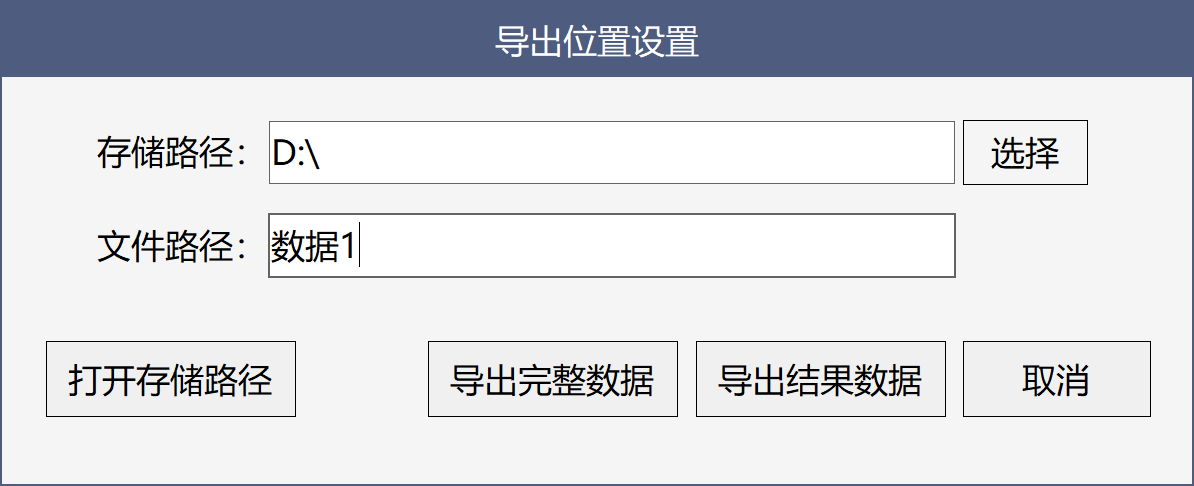 View full image ⤢
This PC manual distinguishes result CSV from full-curve CSV. Define part ID, timestamps, recipe and retention before confirming export content. USB result-report export alone does not imply full historical-curve export.
Original Chinese interface retained; the explanation below describes its purpose.
Third-party reference · Image source:YZJ-1000 PC manual · software 2.1.46.55 · p.7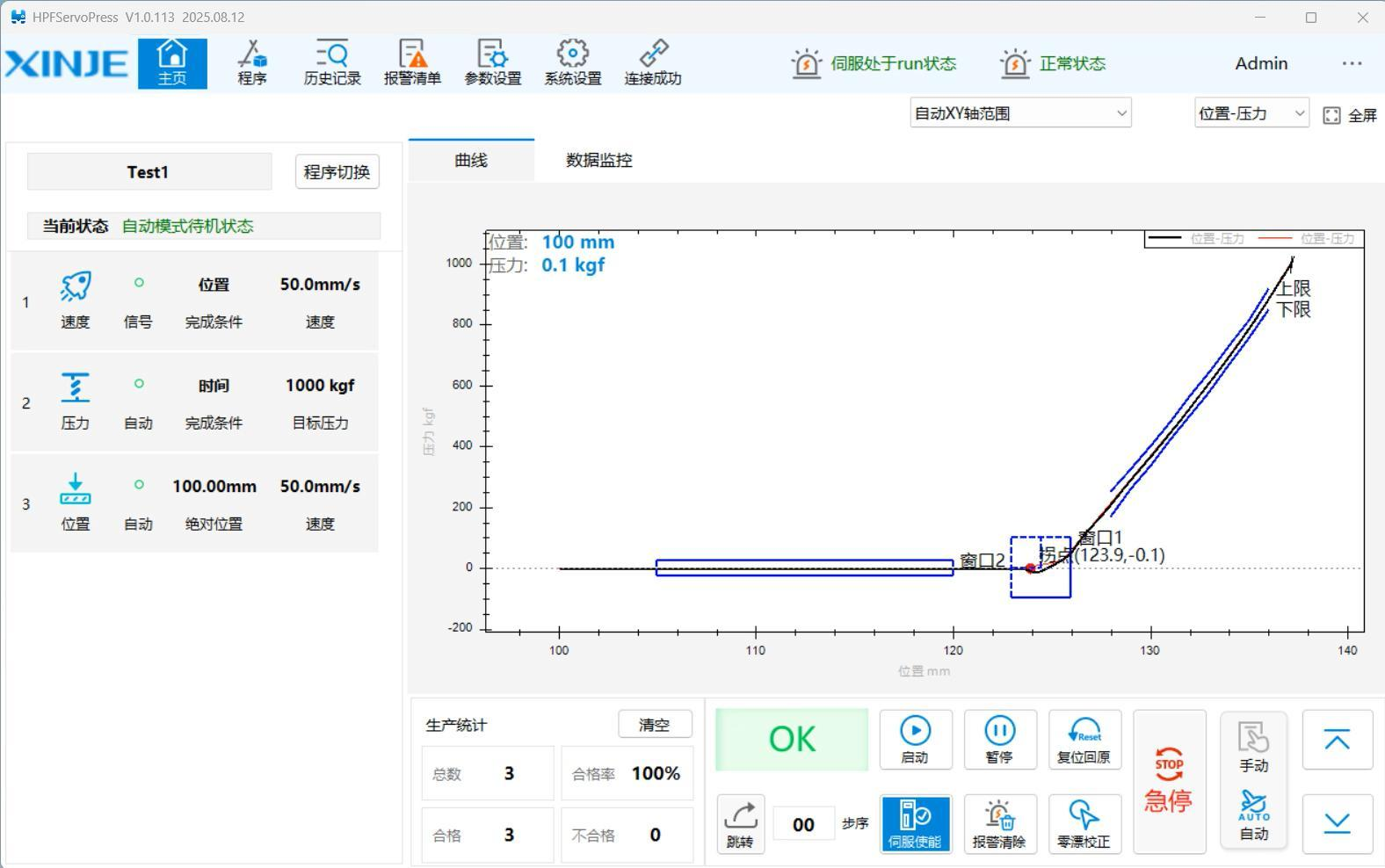 View full image ⤢
The original XINJE branding is retained to illustrate process steps and curve management. Touch-PC and HMI history/curve capabilities differ; verify versions, retained content and permissions against the supply specification.
Original Chinese interface retained; the explanation below describes its purpose.
Third-party reference · Image source:XINJE Electric · HPF solution · p.10